
About the service
At Geek Fix, we specialize in professional physical button repair services to restore full tactile control to your electronic devices. A broken power button, stuck volume rocker, or unresponsive home key can make it nearly impossible to lock your phone, take screenshots, or adjust media levels. Our expert technicians diagnose and replace faulty internal button mechanics and underlying flex cables for all major smartphones, tablets, and laptops, including Apple iPhone, iPad, Samsung Galaxy, and Google Pixel models.
Expert Button Repair & Flex Cable Replacements
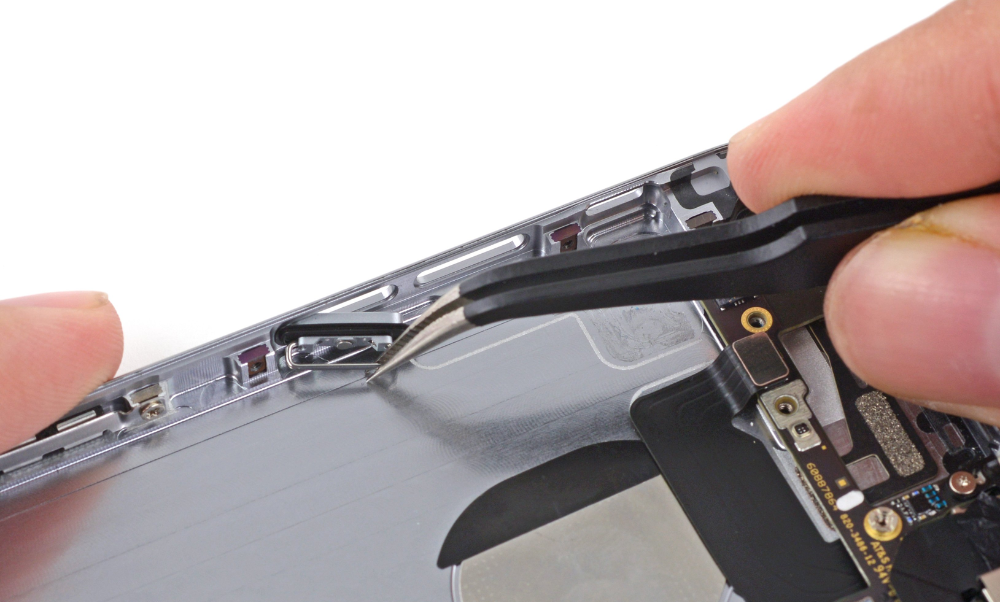
On modern mobile hardware, the physical exterior buttons are actually simple plastic or metal caps that press down on micro-switches attached to incredibly thin internal ribbon cables. When your buttons stop working, it is rarely the outside button that is broken—it is usually the underlying electronic switch that has worn out, collapsed, or suffered liquid corrosion. Our button repair services include:

- Power / Lock Button Replacement
- Volume Rocker Repair
- Classic Home Button Assemblies
- Debris & Sticky Spill Extraction
Comprehensive Button Repairs for All Tech
Don’t rely on floating on-screen accessibility menus just to navigate your device. We stock high-quality replacement parts to fix tactile controls across all hardware:
- iPhone Power, Volume, and Ring/Silent Switch Flex Cables
- Samsung Galaxy Power and Bixby Button Circuit Repairs
- Google Pixel Side Switch Replacements
- iPad and Android Tablet External Button Controls
- MacBook and Laptop Power Button/Keyboard Troubleshooting
- Nintendo Switch and Portable Console Joy-Con Buttons
Why Choose Geek Fix for Your Button Repair?
Original Clicky Tactile Feel: We use premium, high-quality replacement internal switches that restore that crisp, distinct “click” feedback your device had out of the box.
Fast, Same-Day Turnaround: Navigating a phone without buttons is incredibly frustrating. Most smartphone button flex cable replacements are completed in-house within 45 to 60 minutes.
Safe Internal Disassembly: Accessing side-button ribbons requires navigating around sensitive batteries and displays. Our certified technicians complete the teardown safely and professionally.
Friendly Asked Questions.
My phone button won't move at all and feels completely stuck. What happened?
This is typically caused by one of two things: either dirt or a sticky liquid (like juice or coffee) has dried up inside the housing recess, or a hard drop has physically dented the metal frame inward against the button cap. We can safely clean the residue or reshape the frame to free the button.
Will I lose Touch ID or Face ID functions if you fix my home button?
For security reasons, Apple pairs the original home button’s Touch ID biometric sensor directly to your logic board. If we have to replace the home button hardware entirely on models like the iPhone 7 or 8, the physical click-to-navigate functions will work perfectly again, but the fingerprint scanning feature will be disabled. We will always discuss your options before proceeding.
How much does it cost to repair a power or volume button?
The cost depends on your device model. On many phones, the power and volume buttons are located on the same internal flex ribbon cable, meaning fixing one often fixes both for the same price. Bring your device by our shop for a fast, free quote.
Can a broken power button prevent my phone from turning on?
Absolutely. If your phone battery dies completely and your internal power switch is broken, you won’t be able to send the signal to boot the device up, even if the phone is plugged into a functional charger. Replacing the power ribbon will solve this immediately.